If you have ever looked closely at a web address and noticed strange sequences of characters like %20 or %3F, you have encountered URL encoding. While it might look like a glitch or a typing error to the untrained eye, this formatting is a fundamental part of how the internet works. It ensures that data is transmitted safely and correctly across web browsers and servers.
In this comprehensive guide, we will explore what URL encoding is, why it is absolutely necessary, and how to use it effectively. We will also address a very common misconception in the digital space: the search for a URL Encoder SpellMistake, and why understanding the true nature of encoding is the real solution to your formatting problems.
What is URL Encoding?
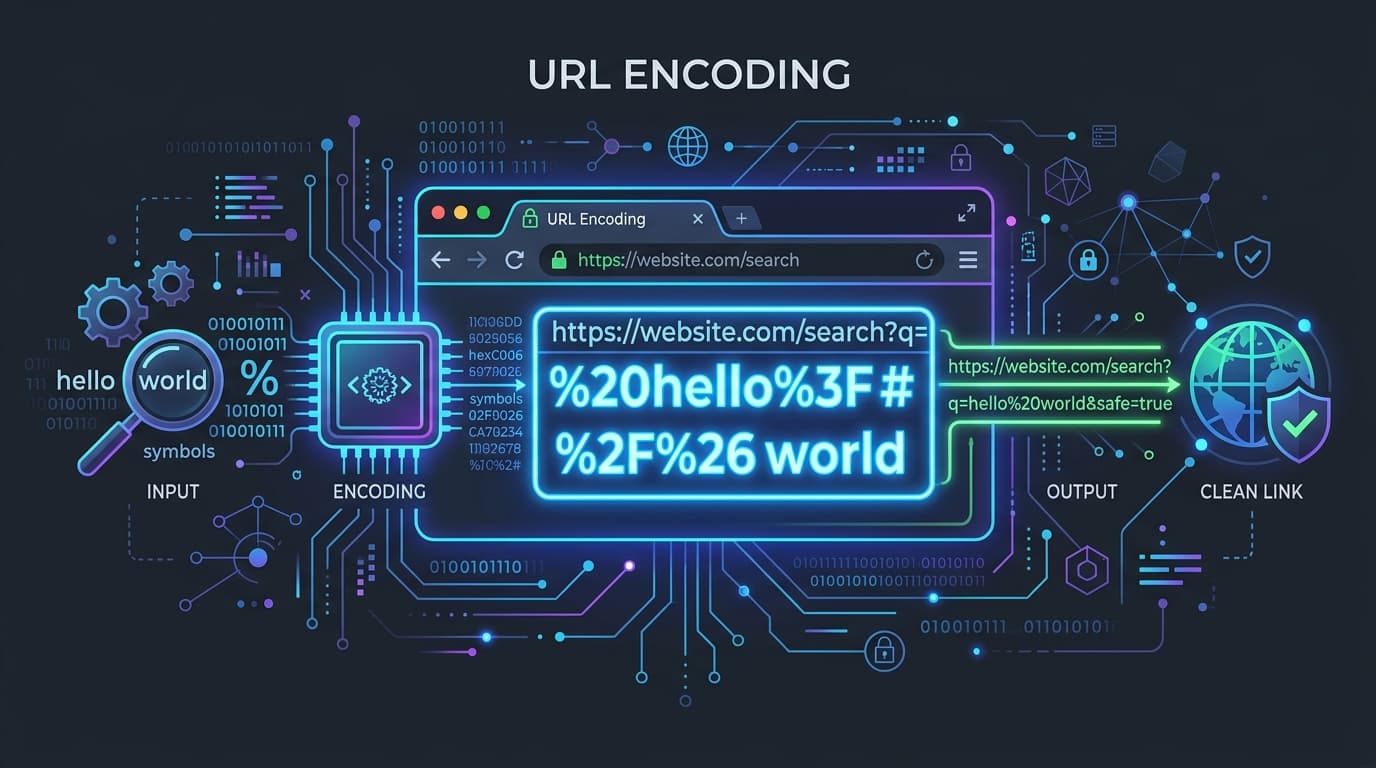
URL encoding, also known as percent-encoding, is a mechanism for encoding information in a Uniform Resource Identifier (URI). The internet relies on a specific set of rules for how URLs must be formatted. According to standard web protocols (specifically RFC 3986), a URL can only be sent over the Internet using the ASCII character set.
Because URLs often contain characters outside the standard ASCII set—such as spaces, non-English letters, or special symbols like &, ?, and =—these characters must be converted into a valid, universally accepted format. URL encoding translates these unsafe characters into a % followed by two hexadecimal digits that represent the character's ASCII value.
For example, a space cannot be safely transmitted in a URL. When encoded, the space becomes %20.
The Misconception: URL Encoder SpellMistake
When developers, marketers, or everyday users encounter broken links or strange characters in their web addresses, they often assume a spelling error has occurred during the encoding process. This leads many to search for a URL Encoder SpellMistake—a tool they believe will act like a spell-checker to "fix" their broken URLs.
However, a URL encoder is not a spell-checker. If you encode a misspelled word, the encoder will simply output a safely encoded version of that misspelled word. It does not possess grammatical context or dictionary lookups.
The term URL Encoder SpellMistake highlights a fundamental misunderstanding of what encoding tools do:
- Encoders translate, they do not correct: An encoder's only job is to translate unsafe characters into safe ones. It will not fix a typo in your domain name or correct a misspelled query parameter.
- Double encoding errors: Sometimes, users encode a URL that has already been encoded. This turns a
%20into%2520(because the%symbol itself gets encoded into%25). This looks like a mistake, but it is actually the encoder doing exactly what it was told to do. The "alternative" or solution here is not a different tool, but rather ensuring you only encode the data once. - The Real Alternative: If you are looking for a way to fix spelling mistakes in your URLs, the true alternative is to use a dedicated grammar or spell-checking tool before you run your text through a URL encoder. Clean, correctly spelled data should be the input; safe, transmittable data is the output.
Why Do We Need URL Encoding?
URLs are structured with specific syntax. Characters like ?, &, =, and / have reserved meanings. They tell the browser where the domain ends, where the path begins, and how query parameters are separated.
1. Protecting Reserved Characters
If you want to send a literal & symbol as part of your data (for example, a company name like "Smith & Sons"), you cannot just put & in the URL. The browser will interpret it as the start of a new query parameter. URL encoding changes the & to %26, telling the browser to treat it as data rather than a structural command.
2. Handling Spaces and Special Characters
URLs cannot contain spaces. If a URL with a space is shared, many email clients and messaging apps will break the link right at the space, rendering it unclickable. Encoding the space to %20 keeps the link intact.
3. Internationalization
As the web is global, URLs frequently need to include characters from non-Latin scripts (like Arabic, Cyrillic, or Chinese). These characters fall completely outside the basic ASCII set and must be percent-encoded (often via UTF-8 representation) to be processed correctly by global web infrastructure.
Try Our Free URL Encoder / Decoder
Ready to encode your data safely? Use our built-in, secure tool below. It processes everything directly in your browser, ensuring your sensitive parameters never leave your device.
URL Encoder/Decoder
Securely encode and decode URLs and data strings.
How to Use the URL Encoder
Using the FluxToolkit URL Encoder is incredibly straightforward and designed for instant results.
- Paste Your Text: In the input box provided by the tool, paste the raw text or the broken URL you wish to process.
- Select Your Action: Choose whether you want to Encode (turn normal text into URL-safe text) or Decode (turn
%20and other percent-encoded strings back into readable text). - Copy the Result: The tool will instantly generate the output. Click the copy button to grab your safely formatted string and paste it into your code, email, or browser.
Best Practices When Encoding
- Don't Encode the Entire URL: If you encode
https://example.com/?q=hello, the://and?will be encoded, breaking the link entirely. You should only encode the values of the parameters (e.g., just the word "hello"). - Decode to Debug: If an API integration is failing or a web page is throwing a 404 error, decode the URL. Often, you will spot that a character was encoded incorrectly or double-encoded, revealing the source of the bug.
Common URL Encoding Pitfalls
Even experienced developers run into encoding issues. Here are the most frequent pitfalls and how to avoid them:
1. The `+` vs `%20` Dilemma
Historically, spaces in form data (submitted via application/x-www-form-urlencoded) were encoded as a plus sign (+). However, in standard URI encoding (RFC 3986), spaces are encoded as %20. If you send a + in a query string and the receiving server expects RFC 3986, it will read the + literally, not as a space. When in doubt, modern best practice leans heavily toward using %20 for spaces everywhere except legacy form submissions.
2. Double Encoding
As mentioned earlier, running an already-encoded string through an encoder again will encode the percent signs (%). A space (%20) becomes %2520. If you see 25 appearing frequently in your URLs where you expect spaces or special characters, you have a double-encoding bug in your code.
3. Forgetting to Encode User Input
If you are building a search feature and you pass the user's search query directly into the URL without encoding it, a user searching for cats & dogs will break your application. Always sanitize and encode user input before appending it to a URL string.
Frequently Asked Questions (FAQ)
What is the difference between URL encoding and Base64 encoding?
URL encoding (percent-encoding) is specifically designed to make text safe for transmission within web addresses by replacing unsafe characters with a % and hex digits. Base64 encoding is a different process that converts binary data (like images or complex files) into a long string of ASCII text. While both are used in web development, they serve entirely different purposes.
Why do my URLs look so long and messy after encoding?
Because a single non-ASCII character (like an emoji or a character from a non-Latin alphabet) can take up to 4 bytes in UTF-8, encoding it can result in a long string of percent-encoded values (e.g., %F0%9F%98%80 for a single smiley face). This is normal and required for the browser to read it.
Can a URL encoder fix my spelling mistakes?
No. A URL encoder only changes the formatting of characters to make them web-safe. It does not check spelling or grammar. The search for a URL Encoder SpellMistake is based on this misconception. You must fix your spelling before you encode the text.
Is URL encoding secure? Does it hide my data?
No, URL encoding is not encryption. It provides zero security. Anyone can easily decode a URL to see the original text. Never put passwords, API keys, or sensitive personal information in a URL, even if it is encoded.
Does the FluxToolkit encoder save my data?
Absolutely not. Our URL Encoder tool runs entirely on the client side (in your web browser). Your text and URLs are never sent to our servers, ensuring complete privacy and security for your data.
Conclusion
Understanding URL encoding is a non-negotiable skill for anyone working on the web. From fixing broken links in a marketing campaign to debugging complex API requests, knowing how and when to encode your data saves countless hours of frustration.
Remember, there is no magic URL Encoder SpellMistake that will fix bad data. The solution is always to ensure your input is correct, properly spelled, and logically structured before you apply encoding. By using reliable, browser-based tools like the one provided above, you can format your web addresses safely, privately, and accurately every time.